
Sun Pathology Lab2.9.6 - Get APK
You'll be able to download in few seconds.
Publisher Description
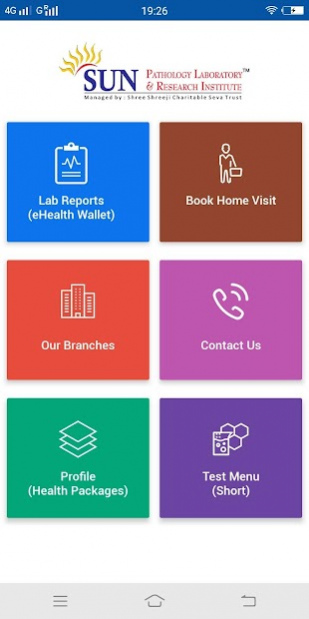
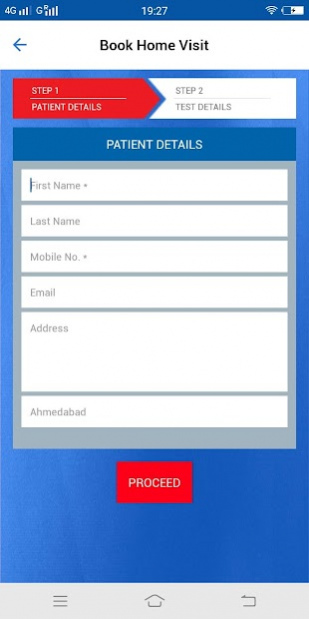
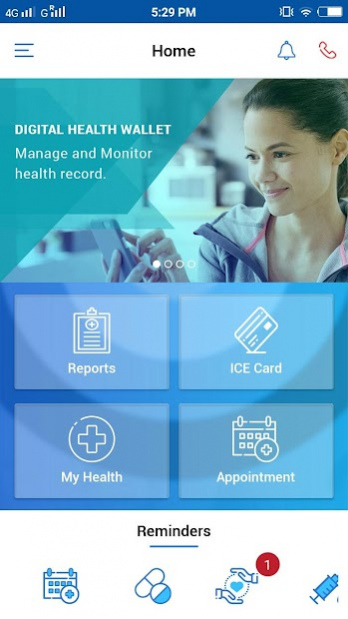
Sun Pathology Laboratory & Research Institute is always focusing on quality testing, maximal customer benefits and committed to provide end result which is fit to the purpose to customer. It provides Personal Health record (eHealth wallet) Mobile application (“Sun Pathology lab”) to its customers to view the results and download/print the complete report anytime, anywhere for lifetime.
It provides the power to manage your own health by enabling you to monitor and store your health data from different sources - hospitals, laboratories and even old medical records, which can be accessed anytime, anywhere. It is safe and secure place to store all your health related information.
Features:
· It is very simple and easy to use.
· A powerful search facility makes it easy for customers to look up nearest Lab/Collection Centers.
· Book a quick Home visit for your Lab Test
· Avail preventive healthcare packages
· Store health documents, reports and images in simple centralized online storage.
· Print your emergency medical card and carry with you always. It may allow first responder to contact your loved ones in emergency. Make this emergency card as your lifesaver.
· Download and print or share your health reports directly with your health professional.
· Manage Allergies, medical condition and Medications
· Single comprehensive easily accessible medical history which allows health professionals to more accurately diagnose, monitor and treat medical conditions.
· Notifications of critical alert, reminders and other promotions and offers.
· Get Health education
About Sun Pathology Lab
The company that develops Sun Pathology Lab is Krish Compusoft Services Pvt Ltd. The latest version released by its developer is 2.9.6.
To install Sun Pathology Lab on your Android device, just click the green Continue To App button above to start the installation process. The app is listed on our website since 2021-03-16 and was downloaded 0 times. We have already checked if the download link is safe, however for your own protection we recommend that you scan the downloaded app with your antivirus. Your antivirus may detect the Sun Pathology Lab as malware as malware if the download link to com.sunpathologylab is broken.
How to install Sun Pathology Lab on your Android device:
- Click on the Continue To App button on our website. This will redirect you to Google Play.
- Once the Sun Pathology Lab is shown in the Google Play listing of your Android device, you can start its download and installation. Tap on the Install button located below the search bar and to the right of the app icon.
- A pop-up window with the permissions required by Sun Pathology Lab will be shown. Click on Accept to continue the process.
- Sun Pathology Lab will be downloaded onto your device, displaying a progress. Once the download completes, the installation will start and you'll get a notification after the installation is finished.
Program Details
System requirements
Download information
Pricing
Version History
version 2.9.6
posted on 2021-03-16
- Reduce apk size
- View Report issue solve
- Minor changes and Enhancement.
version 2.9.5
posted on 2020-07-10
-Minor changes and Enhancement.
version 2.9.3
posted on 2019-08-07
User experience
version 2.0
posted on 2016-09-27
1. Reference range in reports,2. Health test trend analysis,3. Health calculator trend analysis,4. Daily health tips
Disclaimer
External Download
We do not host Sun Pathology Lab on our servers. We did not scan it for viruses, adware, spyware or other type of malware. This app is hosted by Galad and passed their terms and conditions to be listed there. We recommend caution when installing it.
The APK Download link for Sun Pathology Lab is provided to you by apps112.com without any warranties, representations or guarantees of any kind, so access it at your own risk.
If you have questions regarding this particular app contact the publisher directly. For questions about the functionalities of apps112.com contact us.
